The Problem — Your Server Is Down and You Have No Idea Why
Your server is down and you have no idea why. You SSH in and grep through logs — if you're lucky. If not, you restart and hope. CPU spikes, disk fills, memory leaks, crashed containers — you only find out about them when users start yelling.
Without metrics, logs, and dashboards, every outage is a fire drill. You're debugging blind, reacting instead of preventing, and spending hours on what should be 30-second investigations.
What This Stack Does For You
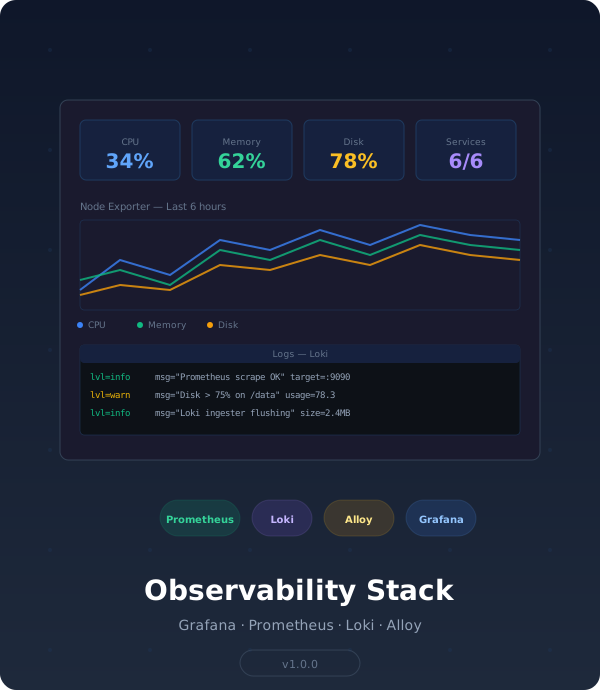
See CPU spikes, disk fills, and log errors on a dashboard before they become incidents. Deploy Grafana, Prometheus, Loki, and Alloy on any Linux server in minutes.
What You'll Be Able To Do After Deploying
- See your entire infrastructure on one dashboard — Pre-built Grafana dashboards show CPU, memory, disk, network, and container metrics within 30 seconds of deploying. Spot anomalies before they become outages.
- Search logs without SSH — Loki aggregates logs from every container, searchable from Grafana. No more
docker logson five different containers to find an error. - Get alerted before users do — Prometheus auto-discovers services and collects metrics with 30-day retention. Configure alerts for disk space, memory pressure, or container restarts.
- Monitor every container automatically — cAdvisor feeds per-container resource usage into Prometheus so you see exactly which container is eating your CPU
- Track host-level health — Node Exporter reports CPU, memory, disk, and network stats from the host, not just containers
- Reload config without restarts — Prometheus lifecycle API supports configuration reloads without downtime
Why This Saves You Hours
Setting up observability from scratch means:
- Piecemeal setup: Installing Prometheus, configuring Grafana data sources, deploying cAdvisor, wiring Loki — each with its own config syntax and quirks
- Dashboard building: Creating dashboards from scratch or hunting for the right JSON on Grafana's community site
- Log pipeline: Deploying Loki, setting up log collectors, configuring label extraction — then debugging why your logs don't show up
- Missed incidents: Without dashboards, you discover problems when users report them — not when metrics start trending wrong
This stack gives you all 7 components with pre-built dashboards and auto-provisioned data sources. One docker compose up and you're observing, not guessing.
What You Get
- Grafana (v11.4) — Pre-configured with auto-provisioned data sources and dashboards
- Prometheus (v2.55) — Metrics collection with 30-day retention
- Loki (v3.2) — Log aggregation with Alloy collector
- node_exporter — Host-level metrics (CPU, memory, disk, network)
- cadvisor — Container resource monitoring
Features:
- Auto-provisioned data sources (Prometheus + Loki connected at startup)
- Pre-built dashboards: Node Exporter Full + Docker Container Monitoring
- Alloy log collector with Docker container log discovery
- Environment-based configuration (
.envfile) - Prometheus lifecycle API for config reloads
- Configurable retention, ports, and version pinning
Delivery:
docker-compose.yml.env.exampleREADME.mdwith architecture diagram and production checklistconfig/directory with all service configurations and provisioning- Pre-built Grafana dashboard JSON definitions
Requirements
- Linux server (x86_64 or ARM64)
- Docker Engine ≥ 24.x
- Docker Compose ≥ v2.24
Your Outcome
5 minutes from now, you'll have Grafana dashboards showing CPU, memory, disk, and container metrics — with Loki log aggregation and Prometheus alerting — deployed on any Linux server. No more SSH-and-grep fire drills. No more finding out about outages from users.
Note: You'll need to create a Stripe price ID in your Stripe Dashboard and update stripe_price_id in this file before purchases work.